How to pair a new collar to a Garmin Sport Pro?
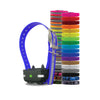
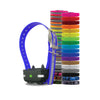
Garmin Sport PRO PT10 Extra Collar
Status:
Open Apr 17, 2026 - 06:22 AM
1answer
Answer
Apr 17, 2026 - 06:22 AM
To pair a new Garmin PT10 collar with your Garmin Sport PRO handheld, first make sure the Garmin PT10 collar is turned off. On the handheld, select the next dog color and set the dial to any number. Press and hold the power button on the Garmin PT10 collar until the LED changes from blue to yellow—keep holding. Simultaneously press the top training button on the handheld, then release both buttons. Both devices should beep rapidly, indicating the Garmin Sport PRO dog collar is now successfully paired and ready for use.
View More Product Details
Garmin Sport PRO PT10 Extra Collar
Garmin Sport PRO PT10 Extra CollarThe Garmin PT10 Extra Collar is the perfect addition to your Garmin training system, compatible with Garmin Sport PRO, Garmin Pro 70, and Garmin Pro 550 series. Train up to 3 dogs on the Sport PRO Handheld with this versatile collar. Featuring a one-mile range, LED ...
See More
View all Garmin Sport PRO PT10 Extra Collar Questions & Answers