Answer
Apr 22, 2026 - 12:22 PM
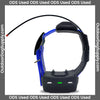
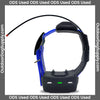
To update your Garmin TT10 collar, first ensure that you have the Garmin WebUpdater software installed on your computer. Connect the collar to your computer using the USB cable, then open the WebUpdater software and follow the on-screen instructions to check for and install any available updates. Make sure the collar is fully charged before starting the update process.